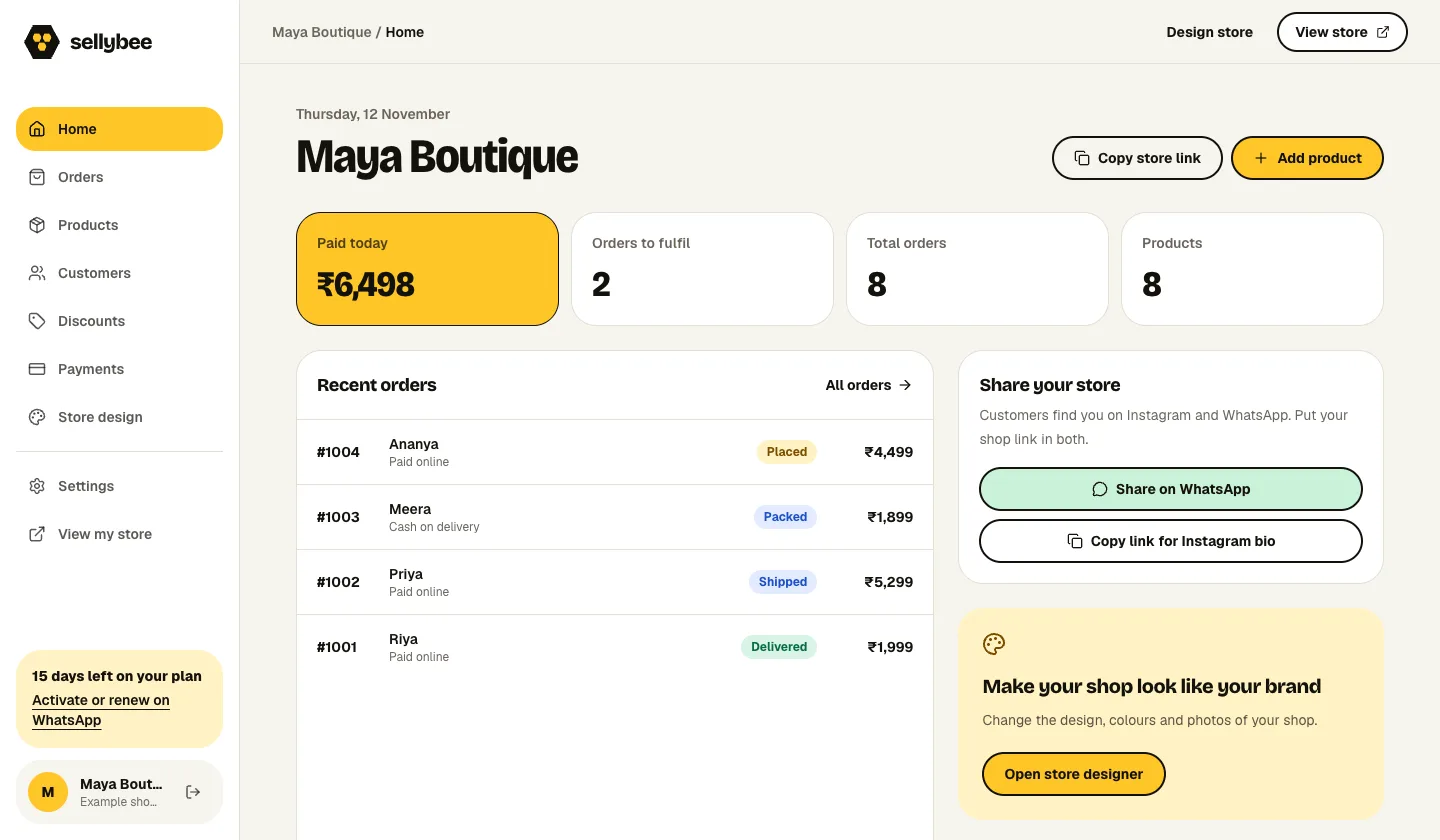
SellyBee connects your shop to your own Razorpay merchant account. Customers can use the payment methods enabled for that account, including UPI and cards where available. You can also offer cash on delivery. The seller dashboard keeps payment information alongside the order so you can decide what to pack next.
A dashboard demonstration recorded on 12 November 2026. Names, orders and amounts are sample data, not customer results. Explore all five shop designs →
Your merchant account, your payment setup
The seller connects their own live Razorpay account in Dashboard → Payments. Razorpay account activation and enabled methods determine which online payment options are available. Your payment-provider charges are separate from the SellyBee subscription.
Payment confirmation belongs with the order
Follow the Payments page instructions to configure payment updates in Razorpay. Check the matching order after a payment rather than relying only on a customer’s screenshot. A successful payment and a shipped parcel are separate stages of the work.
Choose whether to offer cash on delivery
COD is a separate shop option. Confirm the customer’s details and arrange collection with your carrier before dispatch. An order placed using COD is not an online payment confirmation.
Get started in three steps.
01
Activate your Razorpay account
Complete the provider’s account requirements and confirm that your business can accept live payments.
02
Connect it in Payments
Enter the live credentials through your seller dashboard and configure the payment update address as instructed.
03
Verify before promoting
Check the enabled methods and confirm a completed payment against the correct order. Keep credentials private.
Questions before you start
Is UPI automatically enabled for every store?
No. UPI and other payment methods depend on your Razorpay account activation, eligibility and enabled settings. Check your actual checkout before advertising a method.
Does SellyBee replace my Razorpay account?
No. Each seller connects their own Razorpay account. SellyBee supplies the shop and order workflow.
Can I offer online payment and COD together?
Yes. Configure your online payment connection and COD preference in the seller dashboard, then check which options appear at checkout.
YOUR NEXT STEP
Make a place for your products.
Try SellyBee for 14 days. Five shop designs, products, sizes, stock and orders. No card needed.
Then ₹999/month or ₹10,000/year. Payment-provider and carrier charges may apply separately. See plans and costs.