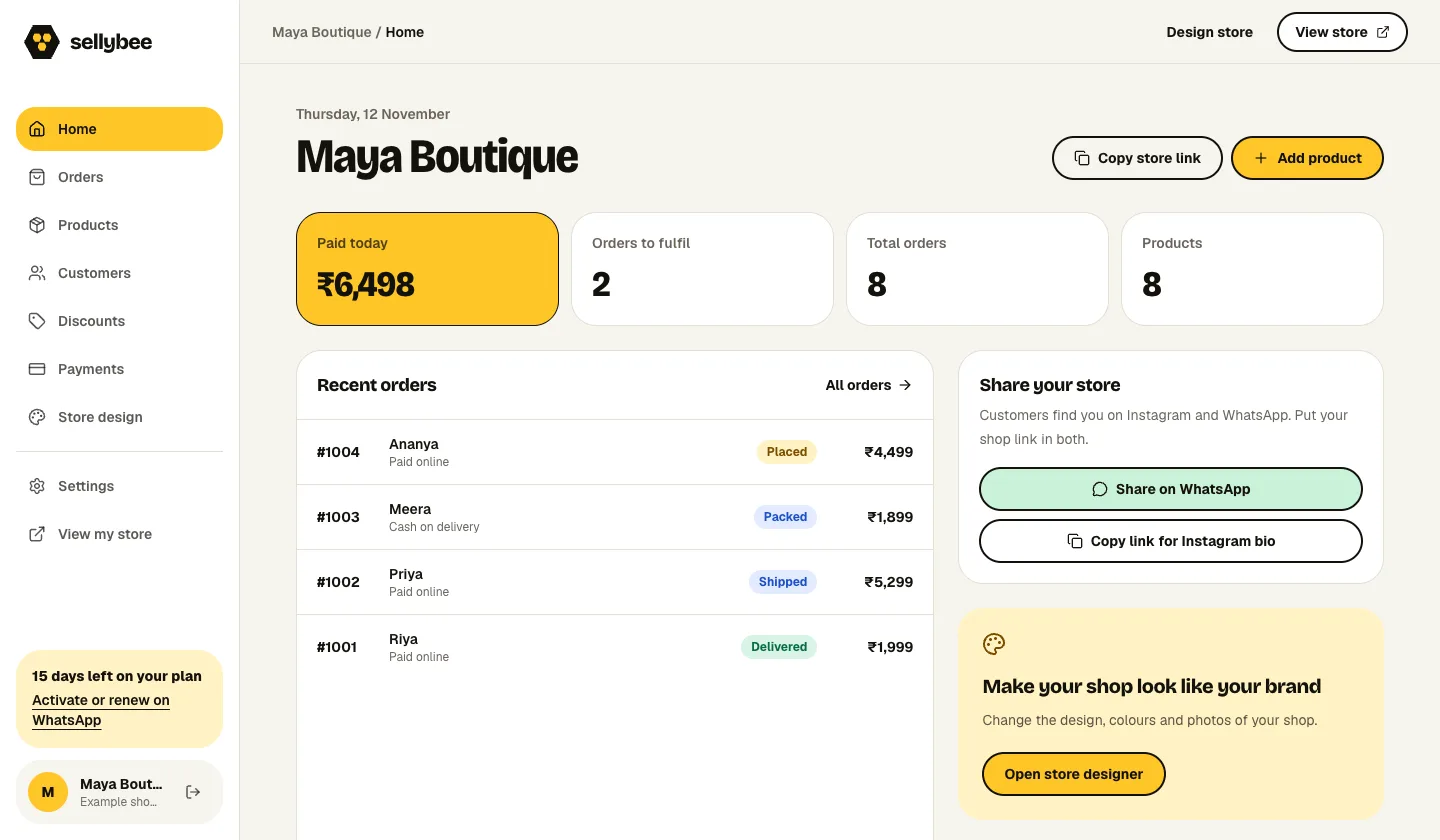
SellyBee’s order dashboard is for orders placed through your own shop. Review the products and customer details, check the payment method and update progress through confirmation, packing, shipping and delivery. Keep product sizes and stock alongside the collection you sell.
A dashboard demonstration recorded on 12 November 2026. Names, orders and amounts are sample data, not customer results. Explore all five shop designs →
Find what needs your attention
Open the dashboard to review orders and their current status. Before packing, check the items, quantities, sizes, customer address and payment information. Contact the customer about a COD order when a usable phone number is available.
Keep payment and fulfilment separate
A paid order can still be waiting to be packed. A COD order may be confirmed while payment will be collected later. Update the order through placed, confirmed, packed, shipped, delivered or cancelled as the actual work happens.
Record dispatch and keep stock accurate
Book shipping using your own carrier arrangement, then enter the tracking information in SellyBee. Keep stock up to date when you also sell in a physical shop or directly through chat. This workflow covers your SellyBee shop; it does not import every marketplace’s orders or automatically book couriers.
Get started in three steps.
01
Review and confirm
Check the ordered product, size, payment method and complete delivery details.
02
Pack the correct pieces
Check the physical item against the order and update its packing status.
03
Dispatch and follow through
Arrange your shipment, add the tracking details and keep the final order status accurate.
Questions before you start
Does SellyBee manage orders from other marketplaces?
The current dashboard manages orders placed in your SellyBee shop. Marketplace imports and warehouse synchronisation are not part of this described workflow.
Does SellyBee ship the parcel for me?
You arrange packing and shipping. SellyBee keeps order information, status and tracking details together.
Can I manage product sizes and stock?
Yes. Add the sizes you sell and their stock when setting up your products. Update online quantities when you make sales outside the shop.
YOUR NEXT STEP
Make a place for your products.
Try SellyBee for 14 days. Five shop designs, products, sizes, stock and orders. No card needed.
Then ₹999/month or ₹10,000/year. Payment-provider and carrier charges may apply separately. See plans and costs.