RUNNING YOUR SHOP
Choosing online order management software for a small seller in India
Check payment status, COD confirmation, packing, tracking and customer details when choosing order management software for an Indian online shop.
By SellyBee · Published · Updated . This guide is published by SellyBee. Confirm other providers’ current features and terms before purchase.
The short answer
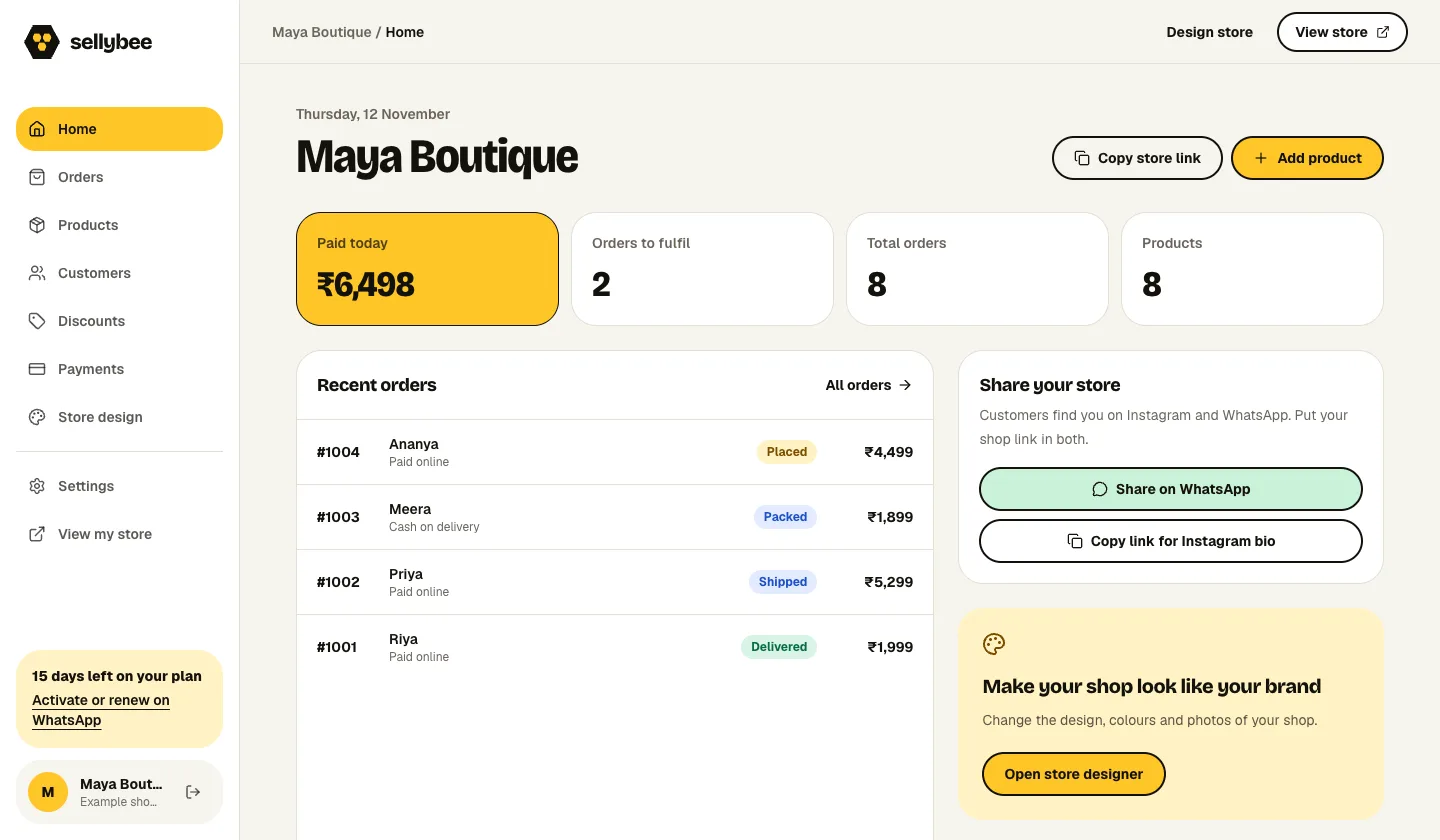
A small online seller needs to know what was ordered, whether it is paid, where it must go and what still needs doing. SellyBee provides an order dashboard with customer details, payment information, order progress and tracking fields for its own stores. It is a storefront order workflow, not a claim of marketplace or warehouse synchronisation.
Separate payment status from fulfilment status
An order can be paid but still waiting to be packed. A COD order can be confirmed but unpaid until the collection process completes. Keep these ideas separate when deciding what to work on next.
SellyBee’s order workflow includes placed, confirmed, packed, shipped, delivered and cancelled states. The dashboard helps you find orders requiring confirmation or packing and lets you enter tracking details. The seller remains responsible for accurate updates.
Build a simple daily order routine
Review new orders before packing. Confirm COD details, check stock and inspect the item against the ordered size. After booking your shipment, record the tracking reference so you can answer a customer’s delivery question.
- Confirm the customer’s product, size, quantity and full address.
- Check online payment status or confirm the COD arrangement.
- Pack the correct items and update the order status.
- Enter the carrier tracking number or link after dispatch.
- Review delivered, cancelled and unresolved orders regularly.
Know when a storefront dashboard is not enough
If you sell through several marketplaces or need warehouse allocation, automatic courier booking, returns automation or accounting integrations, write those requirements down explicitly. Ask each provider to demonstrate them using a real scenario.
SellyBee’s current workflow is for products and orders placed through the seller’s shop. The platform does not promise third-party marketplace order imports or automatic courier collection. Choose it when that focused workflow matches your business.
Questions before you start
Does SellyBee arrange shipping for me?
No. You pack and ship orders using your own arrangements. SellyBee stores order details and lets you update status and tracking information.
Can I contact a customer about a COD order?
The order dashboard includes customer information and WhatsApp contact actions where a usable phone number is available. The seller reviews and sends the message.
Does SellyBee synchronise orders from every marketplace?
That is not part of the current workflow described here. Verify any marketplace requirement before choosing your order management system.